
Home / Portal
Your portal.
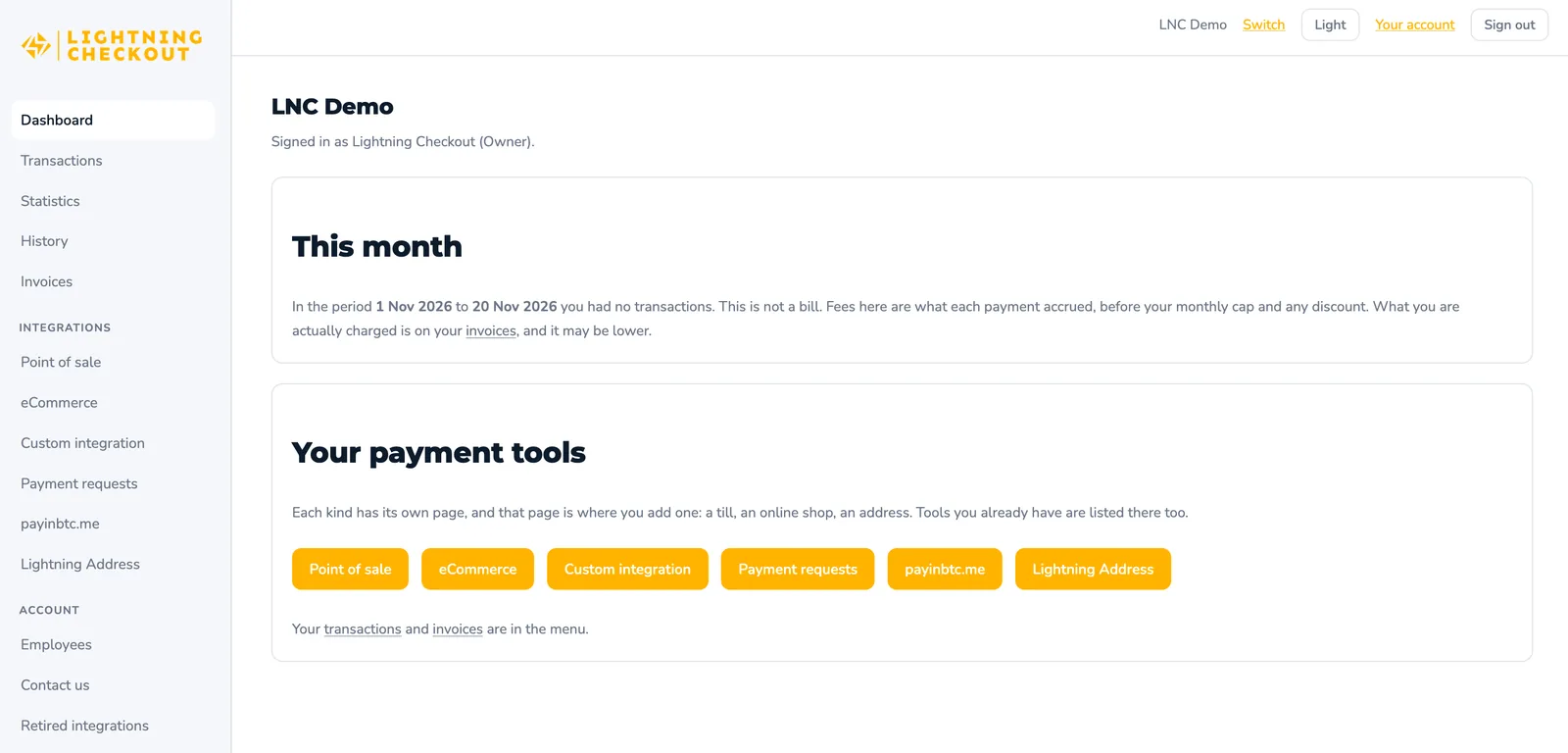
How much came in today, and from which counter or order? The portal shows every payment from your terminals and your webshop in one place, Lightning and onchain together.
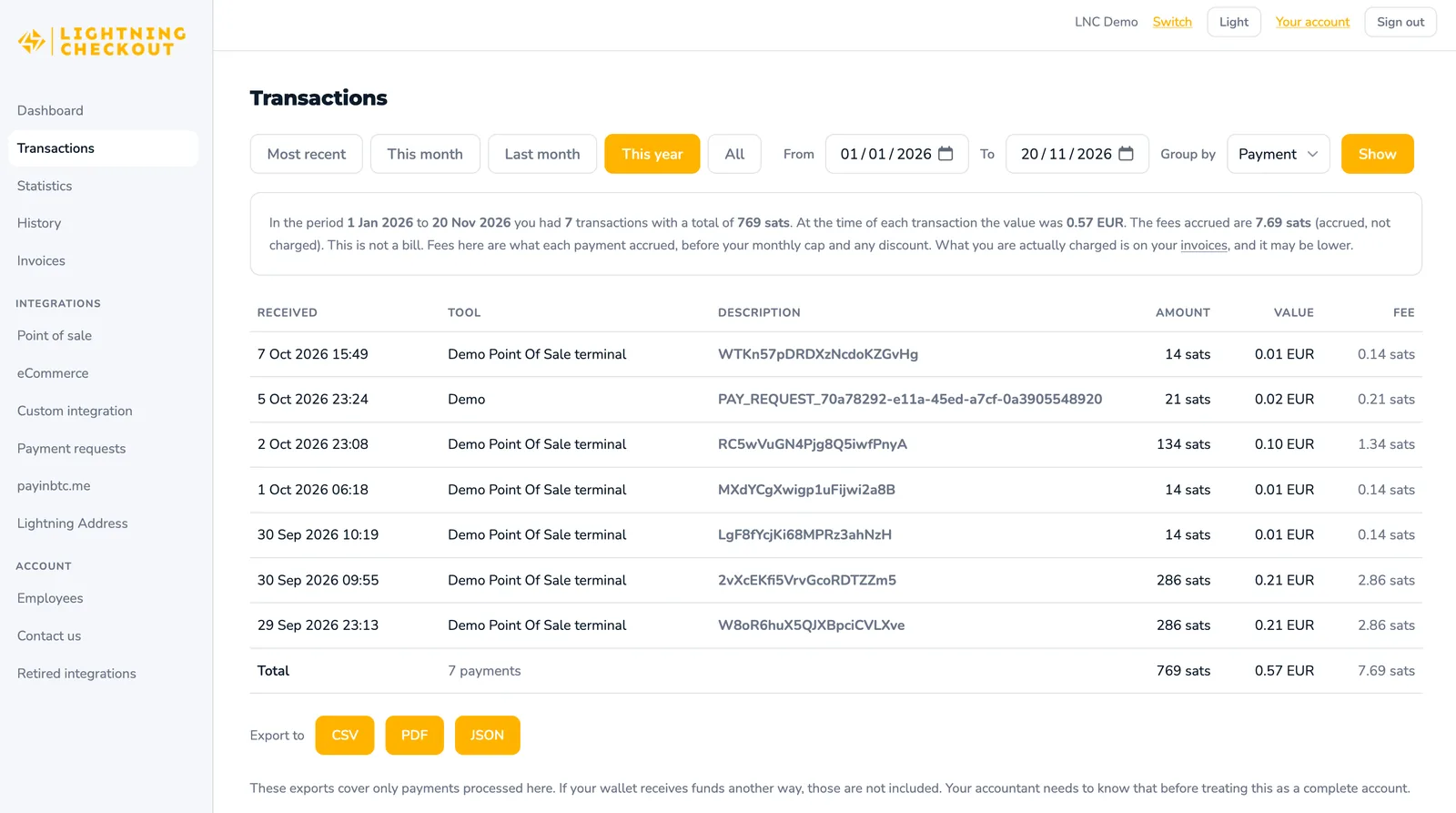
Every payment in one list.
Terminal sales and webshop orders side by side, with the time, where the payment came from, and the amount in sats and in your currency.
- Lightning and onchain payments in the same list
- Each webshop payment linked to its order number
- Each terminal payment linked to its counter
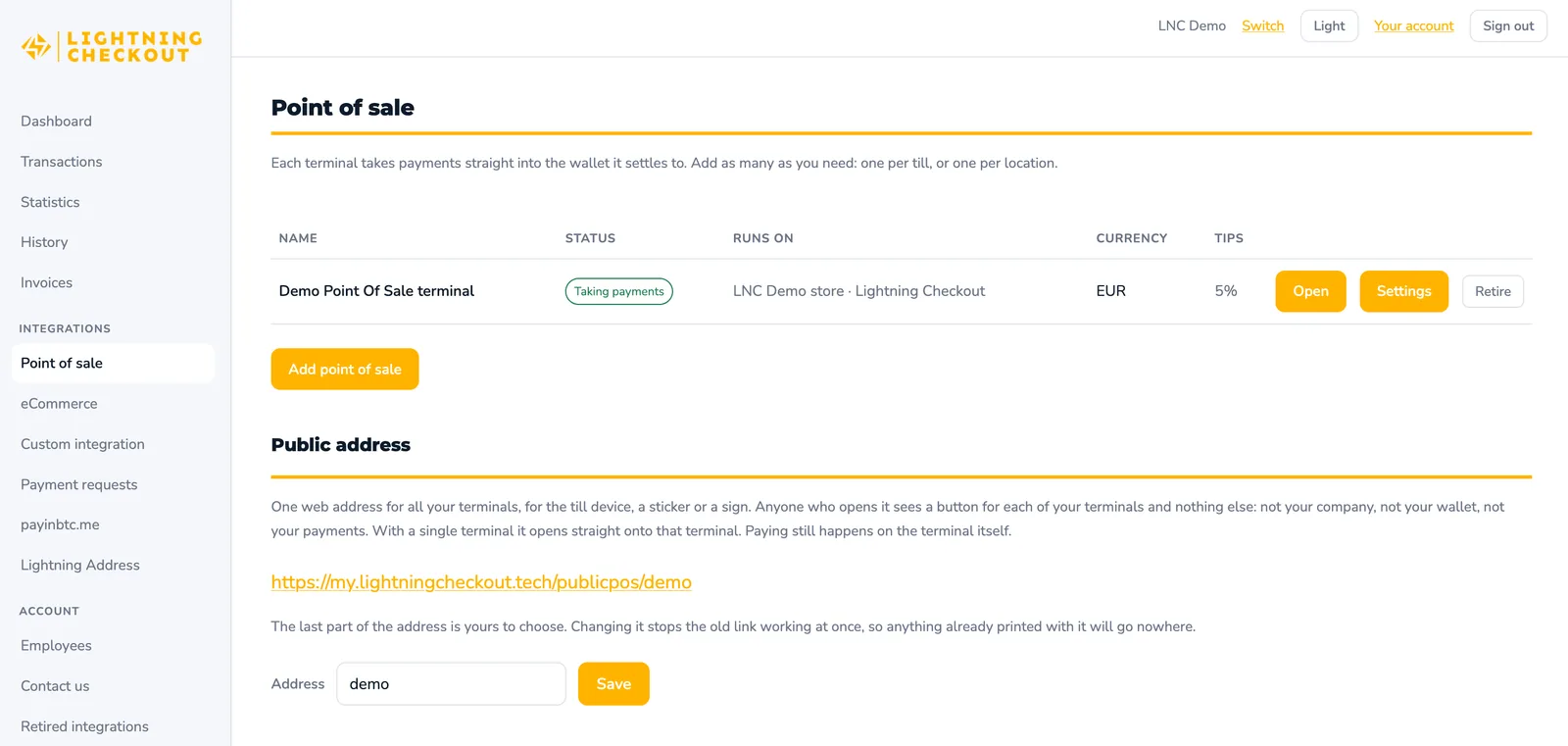
Your terminals.
Each terminal has its own link. Open it on the phone or tablet at the counter, and the payments it takes show up here under its name.
- Runs in any browser, no app to install
- Amounts entered in your own currency
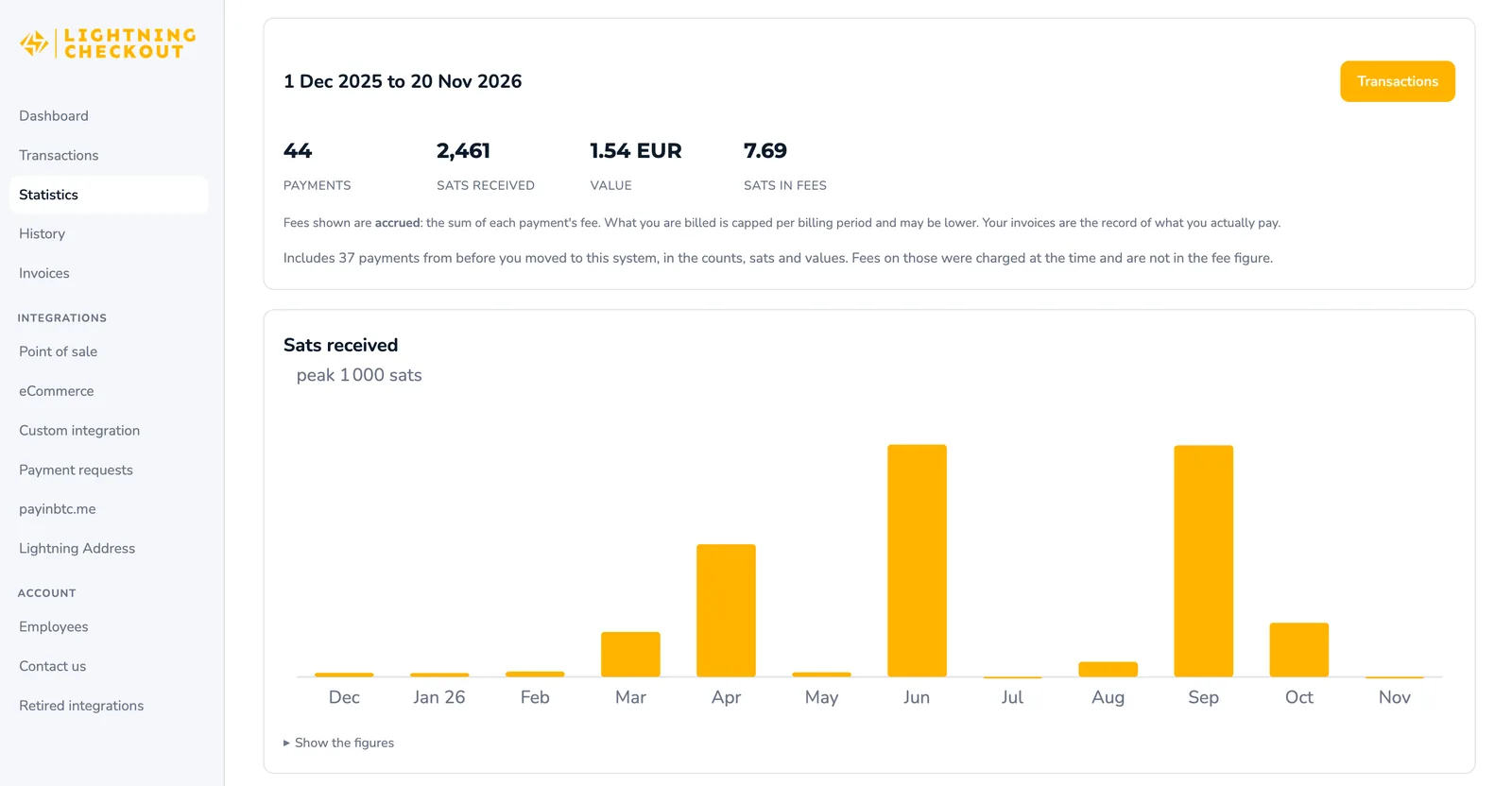
Statistics and exports.
How did this month compare to last year? The statistics page shows the number of payments, the sats received, their value at the time of payment and the fees, with a chart per month. Any period you pick in the transactions list can be exported for your bookkeeping.
- This month, last month, this year, or your own dates
- Group by payment, payment tool or period
- Export to CSV, PDF or JSON
Questions.
About the portal.
Is the portal included in the price?
Yes. The portal comes with every account, together with Point of Sale and eCommerce, for one fee of 1.0% per payment with a cap of 5,000 sats (≈ €2.75) per month.
Can the portal touch my money?
No. The portal shows payments; it doesn't hold them. Every payment goes straight to your own wallet.
Which currency does the portal show?
The one you choose when you register: EUR, USD, or any other currency you run your bookkeeping in. Amounts always show in sats as well.
How do I get my login?
After you register, you get your login and step-by-step instructions by email within 24 hours.
Already a customer?
Log in to see today's payments. New here? Register: no contract, no fixed costs.